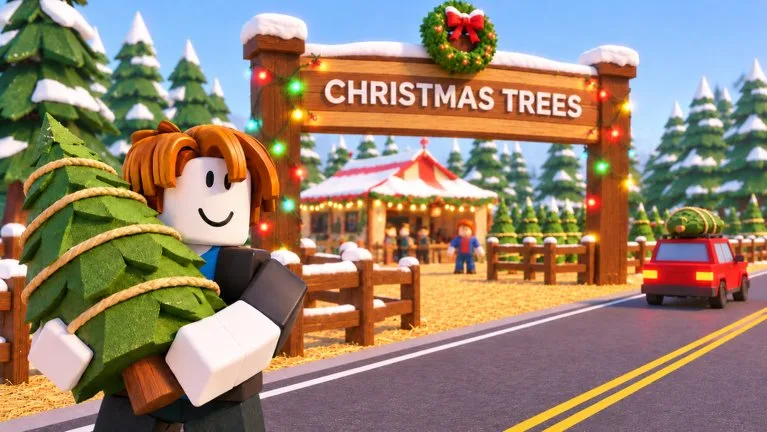
What a new lot is asking you to do
A new save starts at the Starter Sales Tent with $300. The tutorial walks you to the Lot Manager computer. From there the loop is the same every session: order trees, carry them from the delivery area onto the lot, let a customer pick one, check it out, and load it onto their car.
Sales pay Cash and Reputation. Cash buys stock, parking, staff, and land. Reputation is the star counter headquarters upgrades ask for. The Lot Status badge in the corner must say Open or new customers stop arriving.
Pick the save before you order
Your Tree Lots has Solo, Duos, and Trios tabs. Each save shows its name, day, cash, star rating, and region. Create new save, or join a friend's Duos or Trios save with its code. The default name is your name plus 's Trees, and you can rename it.
Region chooses the species. The price table in Tree prices is a North America lot. If the supplier shows Siberian Fir, European Silver Fir, or Swiss Stone Pine, you are on a different region and those North America numbers will not match.
Place the tutorial order
On a new North America lot the Recommended Starter Order was 3 medium Douglas Fir and 2 medium Fraser Fir for $148 of the $300. That matches the supplier prices: medium Douglas Fir is $28 (3 × $28 = $84) and medium Fraser Fir is $32 (2 × $32 = $64).
- Use the Tree Supplier tab. There is no typed quantity, only minus, plus, and MAX.
- Read the stock line, such as
14 available, and any High Demand or Low Demand tag. Those tags are for that row at that moment. - Check
Delivery area: 0 / 30 freeand the bay count before a large order. A full delivery area will not take the crate. - Add to Order, then Place Order. The truck arrives after a short wait. One order panel showed about 35 seconds. Instant Delivery sends the truck as soon as you order.
Put trees on the lot
Pick a tree up from the drop-off and carry it out. The placement bar has Rotate, Place, Done, Fill Row, Store Mode, and a gap setting. A red marker means the tree is too close to another tree. Fill Row places a whole row, which matters once orders get large.
Customers in the recordings walked through rows to reach a tree, so an early layout can be simple. Leave room around the headquarters. The Christmas Pavilion is larger than the tent and has forced players to move rows. Grouping by species makes the next restock easier. The Layout control can move the headquarters, checkout, and break area later. One placement bar, recorded before 11 November, showed the hint Click to place, R rotate, F size, Q done, L fill row, and a gap control, with G for Store Mode. Fill Row and Store Mode were OFF in that frame. Another session did use Fill Row for a whole row, so try it once on your own bar before you depend on it. The bar header can name the crate counts, such as Midnight Velvet Spruce with separate small and large counts.
Serve the first customers
A tag on the tree shows species, size, height, and price, for example Douglas Fir, Medium 7.1 ft, $70. Pick that tree up, use Check Out at the register, then carry it to the car. An order number floats over the car. Hand cars over in that number order. Serving out of sequence upset a waiting customer in a co-op session.
The tutorial's first sale paid a $400 reward in that recording. Later sales pay the price on the tag. The customer leaves a star review. One happy line was Quick and friendly. Merry Christmas! A three-star review said Service was slow.
Quests and the seven-day calendar
Quests opens three tasks plus a bonus for finishing all three. These are examples from recordings, not a fixed board:
| Example quest | Reward seen |
|---|---|
| Order 10 trees | $150 |
| Get 4 five-star ratings | +50 Reputation |
| Sell 3 large trees | $150 |
| Sell 3 Noble Fir | $150 |
| Finish all three (example: Sell 15 trees) | $700 and +70 Reputation |
Quests refresh on a timer. A skip button costs Robux; the amount was not readable. Daily Rewards is a seven-day strip of Cash and Reputation. The window has Join Group for 2x Rewards, which points at the Mr. Grinchmas group.
Spend the first Cash in this order
Redeem Cash and Reputation codes before you spend. See Codes. Leave MISTLETOE and NICELIST until customers are actually buying, because those timers start at redeem.
- Parking Tier 2 is $600 and turns 2 spaces into 4. The first tip after a sale is often
Need More Parking?HQ 2 also wants this tier at 4 of 4 spaces. - Hire a Lot Worker for $1,800 when carrying deliveries and loading cars is the slow part. Hire a Cashier for $1,200 when the register queue is the slow part. The starter headquarters allows 2 employees.
- Lot Expansion 1, the Back Lot, is $1,200. It adds display space and raises delivery storage from 30 to 40.
- With those two land pieces, 250 Reputation, and $2,500, the Land tab can upgrade the tent to the Christmas Pavilion.
Do not buy the pavilion first. Until Lot Expansion 1 and Parking Tier 2 are done, the button stays on requirements not met and may hide the price.
Mistakes that stop the loop
- Pricing above the typical mark makes shoppers say
Too expensiveand leave. Stay on the typical price until Lot Appeal is high. - An empty rack stops sales. The low-stock tip means you should already have the next order in.
- A closed lot earns nothing. Check the badge before you assume the game is broken.
- Hiring on an empty lot does not create customers. Stock first.
- Boost codes are wasted on an empty queue.
Christmas Event Part 2 was announced on a 14 November event card for 15 November: Krampus had been caught, and the card said something worse was coming. Rewards were not shown before it started. Read the in-game card for whatever the live event is doing now.